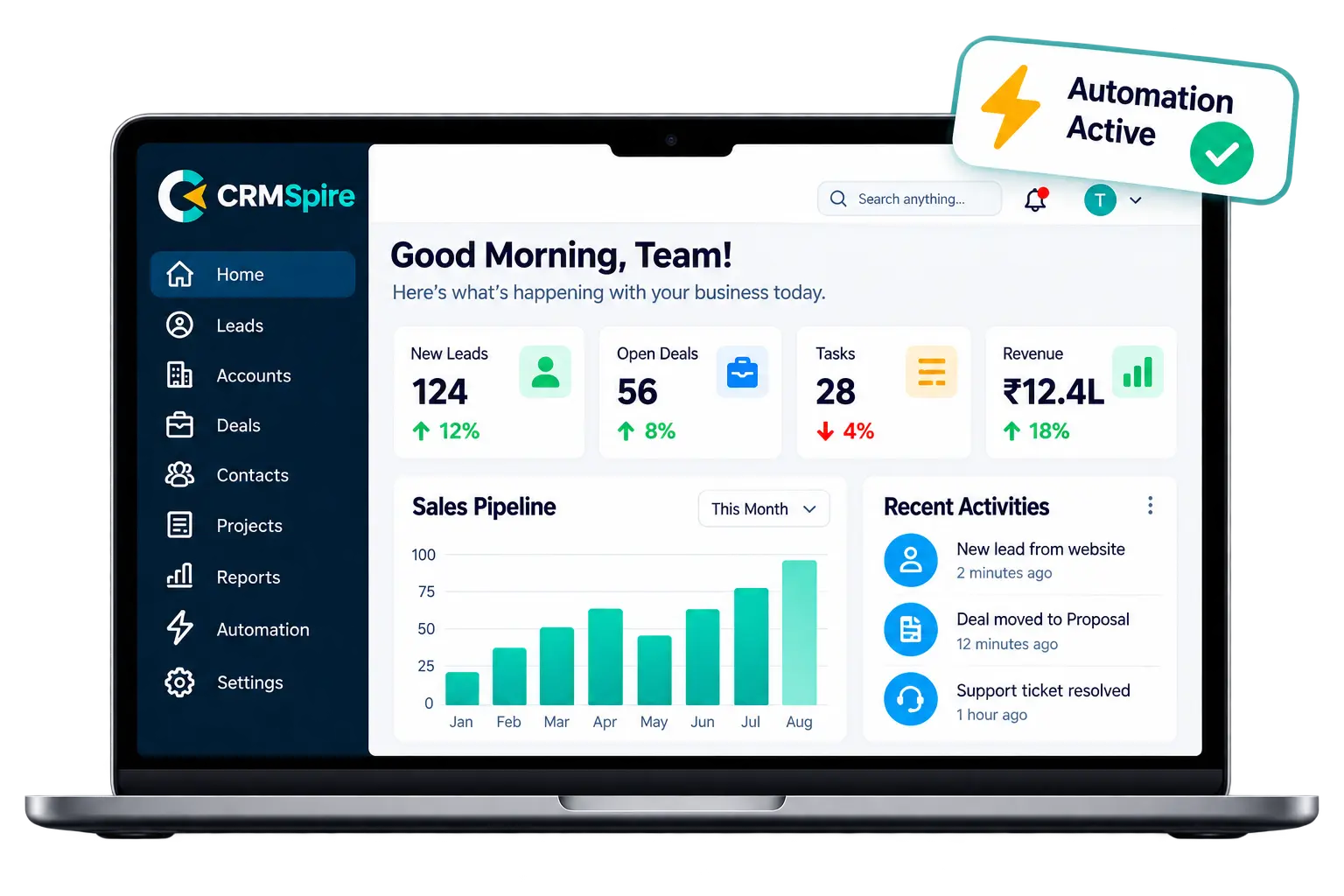

Zoho CRM can become the operating hub of your sales process, but the real value appears when the system is structured around how your team actually works updated.
- Automate repetitive CRM processes and reduce manual effort.
- Improve sales team productivity with clearer workflows.
- Centralize customer information so teams work from one source of truth.
- Create scalable business workflows that grow with your operations.
Many businesses start with Zoho CRM by importing contacts, creating a few pipelines and adding basic email automation. That is useful, but it often leaves a large amount of value untapped. The stronger approach is to align fields, modules, automation rules, dashboards, integrations and permissions with the real customer journey.
What is Zoho CRM?
Zoho CRM is a customer relationship management platform designed to help teams manage leads, opportunities, customer interactions, tasks, workflows and reporting from one central system.
A well-configured CRM helps sales and operations teams spend less time searching for information and more time acting on it. The goal is not to add more software steps. The goal is to remove unnecessary work and create a consistent process.
Example: a unified CRM process connecting sales, automation and analytics.
Key Benefits of a Smarter Zoho CRM Setup
1. Better visibility across the sales pipeline
A clear pipeline makes it easier to understand which opportunities need attention, where deals are getting delayed, and what the sales team should prioritize next.
2. Less repetitive admin work
Automation can handle lead assignment, follow-up reminders, status updates, notifications, task creation and selected customer communications.
Successful CRM implementation is not just about software — it is about creating a system your team actually wants to use.
John Doe
3. More consistent customer experiences
When your team follows a structured CRM process, leads and customers are less likely to fall through the gaps. Every important touchpoint can be tracked and supported by automation.
How to Approach Zoho CRM Implementation
Start with the business process first. Map how a lead enters the business, who owns it, what information needs to be captured, when follow-up should happen, and what should trigger the next step.
- Map the complete lead and customer journey.
- Define CRM modules, fields and pipeline stages.
- Remove unnecessary fields and duplicated data.
- Build automation only where it creates a measurable benefit.
- Create dashboards around real business decisions.
Best Practices for Long-Term CRM Adoption
Keep the user experience simple. Every field, status and workflow should have a clear reason to exist. If a process feels difficult, users will often create workarounds outside the CRM.
- Use consistent naming conventions across modules and fields.
- Keep automation transparent so users understand what happens next.
- Review dashboards and pipeline stages regularly.
- Document key workflows and train new team members.
- Revisit the CRM structure as the business evolves.
Make Zoho Work Around Your Business
Zoho CRM performs best when it reflects the real operating model of the business. A cleaner setup, practical automation and reliable reporting can improve visibility, adoption and day-to-day productivity without making the system feel complex.
The right implementation should help your team work faster, make better decisions and deliver a more consistent experience to every lead and customer.
Zoho CRM can become the operating hub of your sales process, but the real value appears when the system is structured around how your team actually works.
- Automate repetitive CRM processes and reduce manual effort.
- Improve sales team productivity with clearer workflows.
- Centralize customer information so teams work from one source of truth.
- Create scalable business workflows that grow with your operations.
Many businesses start with Zoho CRM by importing contacts, creating a few pipelines and adding basic email automation. That is useful, but it often leaves a large amount of value untapped. The stronger approach is to align fields, modules, automation rules, dashboards, integrations and permissions with the real customer journey.
What is Zoho CRM?
Zoho CRM is a customer relationship management platform designed to help teams manage leads, opportunities, customer interactions, tasks, workflows and reporting from one central system.
A well-configured CRM helps sales and operations teams spend less time searching for information and more time acting on it. The goal is not to add more software steps. The goal is to remove unnecessary work and create a consistent process.
Example: a unified CRM process connecting sales, automation and analytics.
Key Benefits of a Smarter Zoho CRM Setup
1. Better visibility across the sales pipeline
A clear pipeline makes it easier to understand which opportunities need attention, where deals are getting delayed, and what the sales team should prioritize next.
2. Less repetitive admin work
Automation can handle lead assignment, follow-up reminders, status updates, notifications, task creation and selected customer communications.
Successful CRM implementation is not just about software — it is about creating a system your team actually wants to use.
John Doe
3. More consistent customer experiences
When your team follows a structured CRM process, leads and customers are less likely to fall through the gaps. Every important touchpoint can be tracked and supported by automation.
How to Approach Zoho CRM Implementation
Start with the business process first. Map how a lead enters the business, who owns it, what information needs to be captured, when follow-up should happen, and what should trigger the next step.
- Map the complete lead and customer journey.
- Define CRM modules, fields and pipeline stages.
- Remove unnecessary fields and duplicated data.
- Build automation only where it creates a measurable benefit.
- Create dashboards around real business decisions.
Best Practices for Long-Term CRM Adoption
Keep the user experience simple. Every field, status and workflow should have a clear reason to exist. If a process feels difficult, users will often create workarounds outside the CRM.
- Use consistent naming conventions across modules and fields.
- Keep automation transparent so users understand what happens next.
- Review dashboards and pipeline stages regularly.
- Document key workflows and train new team members.
- Revisit the CRM structure as the business evolves.
Make Zoho Work Around Your Business
Zoho CRM performs best when it reflects the real operating model of the business. A cleaner setup, practical automation and reliable reporting can improve visibility, adoption and day-to-day productivity without making the system feel complex.
The right implementation should help your team work faster, make better decisions and deliver a more consistent experience to every lead and customer.
Zoho CRM can become the operating hub of your sales process, but the real value appears when the system is structured around how your team actually works.
- Automate repetitive CRM processes and reduce manual effort.
- Improve sales team productivity with clearer workflows.
- Centralize customer information so teams work from one source of truth.
- Create scalable business workflows that grow with your operations.
Many businesses start with Zoho CRM by importing contacts, creating a few pipelines and adding basic email automation. That is useful, but it often leaves a large amount of value untapped. The stronger approach is to align fields, modules, automation rules, dashboards, integrations and permissions with the real customer journey.
What is Zoho CRM?
Zoho CRM is a customer relationship management platform designed to help teams manage leads, opportunities, customer interactions, tasks, workflows and reporting from one central system.
A well-configured CRM helps sales and operations teams spend less time searching for information and more time acting on it. The goal is not to add more software steps. The goal is to remove unnecessary work and create a consistent process.
Example: a unified CRM process connecting sales, automation and analytics.
Key Benefits of a Smarter Zoho CRM Setup
1. Better visibility across the sales pipeline
A clear pipeline makes it easier to understand which opportunities need attention, where deals are getting delayed, and what the sales team should prioritize next.
2. Less repetitive admin work
Automation can handle lead assignment, follow-up reminders, status updates, notifications, task creation and selected customer communications.
Successful CRM implementation is not just about software — it is about creating a system your team actually wants to use.
John Doe
3. More consistent customer experiences
When your team follows a structured CRM process, leads and customers are less likely to fall through the gaps. Every important touchpoint can be tracked and supported by automation.
How to Approach Zoho CRM Implementation
Start with the business process first. Map how a lead enters the business, who owns it, what information needs to be captured, when follow-up should happen, and what should trigger the next step.
- Map the complete lead and customer journey.
- Define CRM modules, fields and pipeline stages.
- Remove unnecessary fields and duplicated data.
- Build automation only where it creates a measurable benefit.
- Create dashboards around real business decisions.
Best Practices for Long-Term CRM Adoption
Keep the user experience simple. Every field, status and workflow should have a clear reason to exist. If a process feels difficult, users will often create workarounds outside the CRM.
- Use consistent naming conventions across modules and fields.
- Keep automation transparent so users understand what happens next.
- Review dashboards and pipeline stages regularly.
- Document key workflows and train new team members.
- Revisit the CRM structure as the business evolves.
Make Zoho Work Around Your Business
Zoho CRM performs best when it reflects the real operating model of the business. A cleaner setup, practical automation and reliable reporting can improve visibility, adoption and day-to-day productivity without making the system feel complex.
The right implementation should help your team work faster, make better decisions and deliver a more consistent experience to every lead and customer.